Trained 150,000 Shots in VR
Won National Title
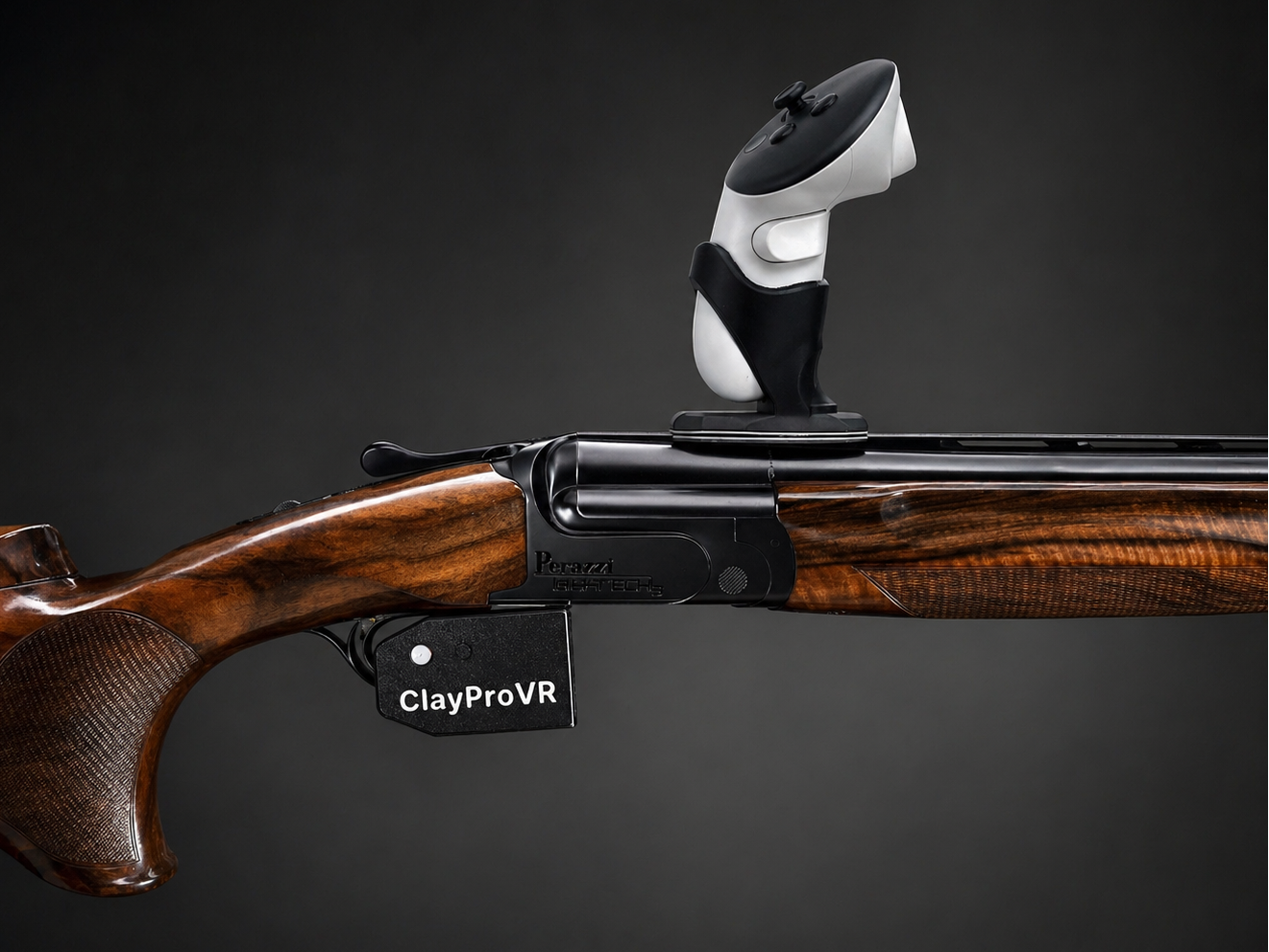
ClayProVR mounts on your real shotgun for clay shooting practice at home.
Reps Separate The Elite Train Anytime With ClayProVR



The Missing Link in Your Training
You already know how powerful good reps are.
The problem?
You don’t get enough of them.
Ammo is expensive.
Time on the range is limited.
And pressure creeps in before real progress happens.
This changes that
The ClayProVR Controller lets you train with your actual gun - so every movement, every mount, every reaction… transfers directly.
At home.
On demand.
Without compromise.
Train the way your brain actually learns
Build thousands of clean, pressure-free repetitions
Eliminate flinch and recoil anticipation
Lock in timing, movement, and connection
Train more in a week than most do in months
This isn’t a game.
It’s real training—without the limitations.
Once you train like this, there’s no going back
Because when you step onto a real course…
Everything feels slower.
Clearer.
Automatic.
What you get
Designed for use with your real gun
Full compatibility with ClayHuntVR on Meta Quest

SAFETY FIRST
SAFETY FIRST
ClayProVR is designed for dry-fire VR training with your own shotgun while helping keep your real trigger inaccessible during normal use.
Always:
- completely unload your shotgun,
- visually and physically verify the firearm is empty,
- and train in a safe environment away from ammunition.
ClayProVR is a training accessory — not a firearm safety device.
Safe firearm handling remains the user’s responsibility at all times.

Training indoors under low ceilings? You’re covered.
A soft foam cover on the barrel tip adds an extra layer of protection for both your surroundings and your equipment—and even works as a practical gun rest between shots.

Your reciever and rib needs to be able to attract a fridge magnet

How to Connect the Controller
- Do NOT turn on the ClayProVR controller yet.
- Turn on your VR headset.
- Go to Settings → Bluetooth
Make sure Bluetooth is turned OFF. - Turn on the ClayProVR controller.
Hold the small button on the side of the controller until the “P” light starts blinking rapidly.
(Rapid blinking = pairing mode) - Go back to your headset and turn Bluetooth ON.
Press Scan / Search for devices. - Select “Pro Controller” from the list.
- Press Connect.
Once paired successfully, the controller will automatically reconnect each time you turn it on.
Important: Always power on the controller before launching the game.
Before You Start Training
Take Your Time With The Setup
The setup can feel a little tedious at first. That is normal.
Once your controller position, headset fit, rib alignment and POI are dialed in, you rarely need to touch them again.
The First 500 Shots Are Different
As shooters, we spend our lives trying to execute subconsciously.
Then we put on a VR headset and suddenly become very conscious of everything again.
For most people, the brain needs 500–1000 shots to get comfortable with the VR environment.
One Day It Just Clicks
You stop thinking about the headset, the controller and the technology.
You simply see the target and shoot it.
Just like riding a bike.
That’s When The Transfer Gets Scary
When the setup is truly dialed in and the brain starts trusting the environment again, the transfer to real shooting becomes remarkably strong.
Be patient. Take your time. Trust the process.